
Geometry Dash 2.2 Update
Platformer Mode, Swing Mode, and All Features Explained
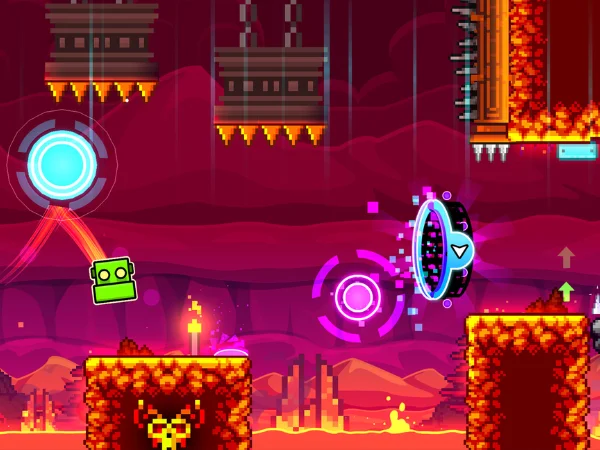
Geometry Dash 2.2: What's New and Updated?
Players waited nearly seven years for Geometry Dash 2.2. Seven years of teasers, rumors, and patience. When it finally dropped on December 19, 2023, the community exploded. And honestly, it was worth every single day of that wait.
This is not just a regular update. It is the biggest change in the entire history of Geometry Dash. New game modes, a completely rebuilt level editor, hundreds of new icons, platformer levels, new shops, new triggers, and much more. Whether you are a returning player who stepped away after 2.1 or a brand new player jumping in for the first time, this guide explains everything in plain, simple language.
Platformer Mode| A New Way to Play
Platformer Mode is the single biggest addition in Geometry Dash 2.2. Nothing like it has ever existed in the game before.
In every previous version of Geometry Dash, your character moves forward automatically, and you only control jumps and direction changes. Platformer Mode throws that formula out completely. You now control movement in every direction. Left, right, jump, and explore freely just like a traditional platform game. This changes everything about how a level can be designed and experienced.
What Platformer Mode Gives You
| Feature | What It Means in Practice |
|---|---|
| Free movement | Move left, right, and jump at your own pace |
| Exploration-based levels | Find secrets, hidden paths, and collectibles |
| Vertical gameplay | Multi-layered environments you navigate up and down |
| Checkpoint system | Save your progress at specific points in a level |
| Variable jump height | Hold longer to jump higher, tap briefly to jump low |
| Non-linear design | Multiple routes and paths within a single level |
For the first time in Geometry Dash history, players can move left and right freely, jump with variable height based on hold duration, and explore non-linear levels. This opens up entirely new level design possibilities that simply did not exist before.
Four official platformer levels were added to the game through the Tower feature. These are The Tower, The Sewers, The Cellar, and The Secret Hollow. Each one introduces a new mechanic and gets progressively harder. Platformer levels also reward Moons instead of Stars, which is a separate progression currency introduced specifically for this new mode.
Platformer Mode appeals to players who found the classic auto-scroll gameplay too intense, while still offering real challenges for veteran players. It genuinely feels like a different game running inside Geometry Dash.
Swing Mode: The Fifth Game Mode
Before Geometry Dash 2.2, the game had four main vehicle modes: ship, ball, UFO, and wave. Swing Mode is the fifth, and it feels unlike anything else in the game.
The swing copter introduces a pendulum-like flying mechanic that feels unlike anything else in GD. Hold to swing in one direction, release to swing the other way. The momentum-based physics create a unique challenge that takes time to master but adds genuinely fresh gameplay variety.
Think of it like a pendulum. Your icon swings back and forth from an anchor point. You hold to build momentum in one direction and release to swing the other way. Timing your releases correctly is what carries you through obstacles. Do it wrong and you crash immediately.
How Swing Mode Compares to Other Modes
| Game Mode | Core Mechanic | Skill Required |
|---|---|---|
| Cube | Tap to jump | Basic timing |
| Ship | Hold to fly up, release to fall | Smooth control |
| Ball | Tap to switch gravity | Rhythm and precision |
| UFO | Tap to push up | Pulse control |
| Wave | Hold for diagonal up, release for down | Ultra smooth inputs |
| Swing | Hold to build momentum, release to swing | Physics mastery |
Many players find Swing Mode frustrating at first because it requires completely unlearning habits from other modes. Once the physics click, however, it becomes one of the most satisfying modes to play and creates excellent level design opportunities. The official level Dash showcases swing mode in action and is the best place to start learning how it works.
Enhanced Level Editor
The level editor in Geometry Dash 2.2 received the biggest upgrade it has ever seen. Geometry Dash's editor evolved massively in 2.2, giving creators powerful visual tools like shaders, auto-build systems, and particle editing. The result is a wave of cinematic levels that barely resemble classic Geometry Dash stages.
New Editor Features
Camera Controls
Customize camera movement, zoom, and rotation for cinematic effects
Shader Effects
Apply advanced visual filters directly inside the editor
Particle Editor
Add custom visual bursts, trails, sparks, and explosions
Auto-Build System
Generate patterns automatically without placing every object manually
Keyframe System
Animate objects smoothly over time with precise control
Reverse Triggers
Make your icon move backwards or change direction mid-level
The result of all these tools is that community levels today look completely different from anything possible before 2.2. Many of the best community creations now rival professional game cinematics in terms of visual quality.
700 Plus New Icons and Customization
Update 2.2 added over 700 new icons across all game modes. This is the largest icon expansion the game has ever received in a single update. Every game mode received new icon shapes. New color options, gradients, ship trails, and animations for specific modes were all added at the same time.
| Category | What Is New |
|---|---|
| Icons | 700 plus new shapes across all game modes |
| Color Options | New color combinations and gradient options |
| Ship Trails | Brand new trail styles specific to ship mode |
| Mode Animations | Special animations for specific game modes |
| Event Icons | Special seasonal and event-specific cosmetics |
| Paths System | Long-term reward tracks that unlock icons as you play |
| Achievement Rewards | New icons tied to in-game achievements |
The Paths system deserves special mention. Paths are long-term reward tracks that unlock icons automatically as you play. Instead of grinding for a specific unlock, you simply keep playing, and the rewards come naturally as you hit milestones along each path.
Music, Audio and Performance
The audio experience in Geometry Dash 2.2 received significant improvements that benefit both players and level creators.
Two brand new shops were added to the game: the Mechanic Shop and the Diamond Shop. Both are accessible through the Treasure Room. With the introduction of the two new shops, there are two notable additions: the Music Unlocker and the Music Customizer. The Music Unlocker allows the use of Normal Mode music in Practice Mode, available for purchase from the Diamond Shop. The Music Customizer permits players to change the menu and practice music to any song downloaded from Newgrounds or the Music Library.
Performance Optimizations
Despite everything that was added in Geometry Dash 2.2, the game actually runs better than it did before. RobTop put serious work into performance alongside all the new features.
| Improvement | What Changed |
|---|---|
| Frame Rate Stability | Consistent frame rates across all device types |
| Memory Management | Better handling of complex levels with heavy effects |
| Loading Times | Noticeably faster level load times overall |
| Low-end Device Support | Smoother performance on older and budget phones |
| 64-bit Architecture | Native support for Apple Silicon and modern processors |
| Anti-cheat Improvements | More reliable and fair leaderboard rankings |
Ready to play on your computer with a high refresh rate? Check out our PC download guide for optimal settings.
Community Features
| Feature | What It Adds |
|---|---|
| Versus Mode | Real-time competition against other players with ghost replays |
| Lists System | Curated collections of levels organized by creators or theme |
| Improved Sharing | Better tools for uploading and distributing your levels |
| Creator Profiles | Expanded statistics and portfolio display for creators |
| Mythic Rating | Added as the highest community level quality tier |
| Events | Regular daily and weekly community events with unique rewards |
What This Means for Players
For New Players
If you are picking up Geometry Dash for the first time in 2026, you are entering at the best possible moment. Platformer Mode gives you a gentler way to start. The huge icon customization system lets you express yourself from day one. You can try the free Lite version first if you're curious!
For Returning Players
If you played Geometry Dash back in the 2.1 era and stepped away, the game you return to barely resembles what you left. The core classic gameplay you loved is completely intact. But now there is an entirely new game mode, a rebuilt editor, and hundreds of new levels.
For Veteran & Competitive Players
The Click Between Frames update in early 2026 was a game-changer for the competitive community. Frame-perfect inputs now behave consistently regardless of your monitor refresh rate. Leaderboard improvements make rankings more credible.
How to Get Geometry Dash 2.2
Getting the latest version of Geometry Dash 2.2 is straightforward. You can update through the App Store (see iOS guide), Google Play Store, or Steam. The latest version as of early 2026 is 2.2081, released on iOS and Android on 29 January 2026, which includes the Click Between Frames feature and several important bug fixes and performance improvements.
App Info
| Game Name | Geometry Dash |
| Developer | RobTop Games |
| Current Version | 2.2081 (2026) |
| Release Date of 2.2 | December 19, 2023 |
| Platforms | Android, iOS, PC, Steam |
| Price | $1.99 Full Version |
| New Icons Added | 700 plus |
| New Triggers Added | 80 plus |
| New Game Modes | Platformer Mode and Swing Mode |
| Rating | 4.9 â |
Frequently Asked Questions
Geometry Dash 2.2 is the twelfth major update to the game and the biggest in its entire history. It was released on December 19, 2023, after nearly seven years of development. It added Platformer Mode, Swing Mode, a completely rebuilt level editor, over 700 new icons, new triggers, new main levels, and much more.
The biggest additions are Platformer Mode, which allows free movement, Swing Mode as the fifth vehicle mode, a massively upgraded level editor with shaders and particles, over 700 new icons, four new platformer levels through The Tower, two new shops, over 80 new triggers, the Moons currency system, Versus Mode for competitive play, and the Mythic level rating.
Platformer Mode lets you move freely in any direction instead of auto-scrolling forward. You control left, right, and variable-height jumps just like a traditional platform game. It is a completely new way to experience Geometry Dash and has its own progression currency called Moons.
Swing Mode is the fifth vehicle mode in the game. Your icon swings like a pendulum from anchor points. You hold to build momentum in one direction and release to swing the other way. It requires physics-based timing that feels completely different from every other mode in the game.
Stars are earned from completing classic auto-scroll levels and have been part of the game since the beginning. Moons are a new currency introduced in 2.2 specifically for completing platformer levels. They track separately on your profile and represent your platformer progression.
Click Between Frames is a feature added in the 2026 patches that separates physics calculations from frame rendering. This means inputs register precisely and consistently regardless of whether you play on a 60Hz or 240Hz screen. It makes competitive gameplay fairer, and frame-perfect jumps feel more reliable.
RobTop has hinted at future content, and the community is already speculating about what 2.3 will bring. The most anticipated unreleased level is Explorers, which has appeared in development previews but has not been fully released yet. Based on past patterns, 2.3 is expected to continue expanding both gameplay mechanics and creator tools.